
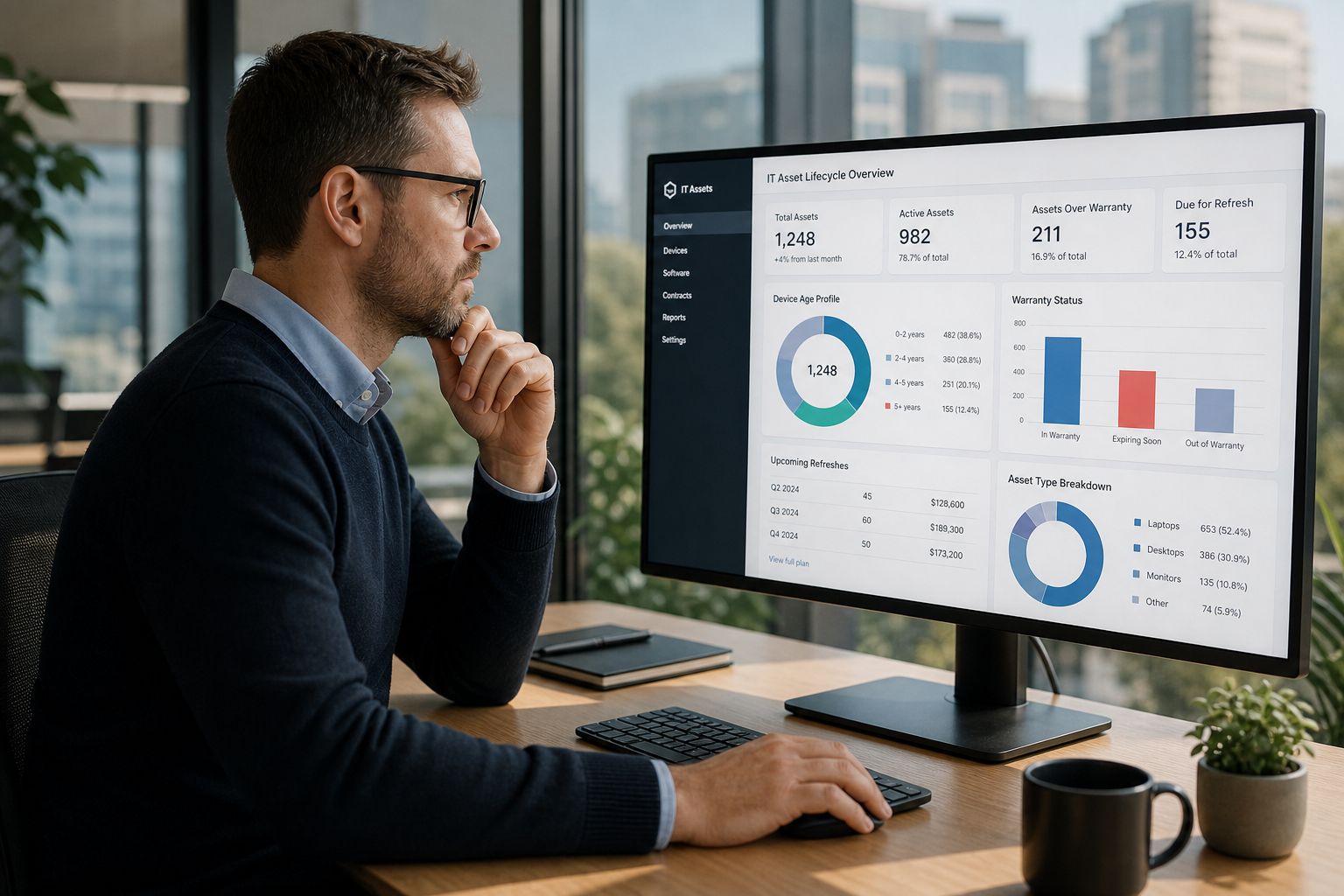
How Adelaide organisations can treat IT asset lifecycle as a strategic lever for cost, security and employee experience.
Why IT asset lifecycle now matters to Adelaide boards
For years, many Adelaide organisations have treated IT hardware as an occasional capital headache rather than a strategic lever. Devices were purchased in bursts – often tied to new projects or office moves – and then kept in service until they became too unreliable to ignore. Spreadsheets loosely tracked serial numbers; procurement focused on unit price; and boards asked about “IT spend” in broad terms rather than how well that spend supported security, productivity and growth.
That approach is becoming harder to defend. Hybrid work, cloud adoption, AI-enabled tools and growing cyber expectations mean your device fleet now sits at the intersection of security, employee experience and cost control. An ageing mix of laptops, desktops and peripherals is more than an annoyance; it is a tangible risk and a drag on performance.
Australian and global vendors are explicit about this shift. As Microsoft winds down support for older operating systems, and as AI-capable PCs move from novelty to mainstream, organisations must decide whether to modernise in step or patch around the edges. Dell’s commentary on the current refresh cycle, captured in Ditch the Legacy Thinking – This Isn’t Your Typical PC Refresh Cycle, argues that running business-critical workloads on unsupported platforms is closer to gambling than optimisation. That perspective has clear implications for Adelaide businesses that still rely heavily on Windows 10-era hardware.
There is also a direct link to security. Devices that cannot run current operating systems or endpoint protection tools, or that miss firmware and driver updates, quickly become weak points. When combined with remote access, unmanaged mobile devices and third-party integrations, outdated hardware can undermine even well-designed policies and controls. The Essential Eight and other Australian guidance implicitly assume a baseline of manageable, supported devices; stretching hardware far past its natural life makes it much harder to reach and sustain that baseline.
On the human side, staff notice when their tools hold them back. Slow startups, flaky Wi-Fi, random crashes and incompatibility with collaboration or AI tools erode confidence and productivity. In competitive labour markets – including Adelaide’s professional services, education and health sectors – the quality of everyday technology is quietly becoming part of the employee value proposition. Candidates increasingly expect modern, reliable equipment that lets them do their best work without fighting their tools.
For boards and executives, this all adds up to a simple conclusion: IT asset lifecycle is no longer just an operational concern. It is a strategic topic that affects risk, cost, customer perception and talent. Treating lifecycle deliberately – rather than as a series of reactive purchases – gives you more control over these outcomes and creates a clearer narrative for investors, regulators and partners about how you manage technology in your organisation.
The rest of this article focuses on how Adelaide IT and business leaders can turn that recognition into a practical lifecycle framework, and how to use vendor guidance and local context to make decisions that are right-sized for your organisation.
Building a realistic IT asset lifecycle for Adelaide organisations
Turning IT asset lifecycle theory into something that works for a real organisation in Adelaide means facing into constraints: finite budget, small teams and a messy mix of devices and systems accumulated over years. A 40-page policy document that no one reads will not fix that. A simple, well-governed lifecycle that everyone understands might.
Start with a clear view of what you actually own. Many South Australian organisations still track devices in spreadsheets or rely on procurement records that do not line up with what is on desks and in cupboards. Modern device management and asset tools can automatically discover and track endpoints, providing live data on models, age, operating system versions and patch status. Industry perspectives, such as HP’s guidance on hardware asset management at Must-Haves for Hardware Asset Management Software, emphasise the benefits of unified portals and real-time telemetry: one place to see what you have, how it is performing and where the risks are.
With a reliable inventory, you can define lifecycle stages that make sense for your environment. A typical pattern for corporate devices in Adelaide might be: plan and budget, procure, deploy, operate, optimise and retire. For each stage, decide who is accountable and what “good” looks like. For example, during planning you might commit to reviewing fleet age and warranty coverage annually; during operation, you might require that all supported devices run a standard, managed build with automatic updates; at retirement, you might insist on certified data sanitisation and environmentally responsible recycling.
Refresh cycles deserve particular attention. Vendors naturally push for shorter cycles, while finance teams may quietly stretch devices well beyond their intended life to save cash in the short term. Neither extreme serves you well. Research cited in HP’s device management content at Optimize Device Fleet Management with these Expert Tips highlights the impact of outdated technology on productivity and support burden. For Adelaide organisations, a pragmatic stance might be a three- to four-year refresh for primary laptops and desktops, with flexibility based on role, device health and changing requirements such as AI-capable hardware.
Do not ignore the hidden costs of keeping ageing devices in service. Older machines typically require more support time, struggle with modern collaboration and security tools, and may not meet vendor requirements for current operating systems. As Windows 10 approaches end-of-life, for example, Dell has been explicit in warning that running business-critical workloads on unsupported operating systems and hardware is closer to gambling than optimisation, as outlined in their commentary at Ditch the Legacy Thinking – This Isn’t Your Typical PC Refresh Cycle. Those dynamics apply just as much in Adelaide as anywhere else.
Asset lifecycle also intersects directly with security. Devices that are too old to run current operating systems or endpoint protection tools, or that cannot support modern authentication methods, become weak links. Structuring your lifecycle so that such devices are identified and removed before they reach that point is far cheaper than dealing with incidents later. Aligning lifecycle decisions with frameworks like the Essential Eight – for example, by preferring devices that support application control, strong patching and hardware-backed security features – helps you move security maturity forward as you refresh.
Finally, design your lifecycle so it is easy for staff to do the right thing. Clear onboarding and offboarding processes, simple channels for requesting device upgrades where justified, and transparent criteria for refresh decisions build trust. Staff are more likely to look after equipment and report issues early when they see that the organisation is serious about giving them the tools they need to work effectively.
Suggested CTA: Export your current device inventory, group devices by age and role, and draft a simple three-year view showing which cohorts should be refreshed when, including rough budget estimates and security considerations.
Practical steps and governance for Adelaide IT and finance leaders
Even a well-designed lifecycle will stall without governance and collaboration between IT, finance and business leaders. In Adelaide organisations, where teams are often small and roles overlap, that collaboration needs to be structured but not bureaucratic.
Start by making lifecycle an explicit agenda item in existing governance forums. When you review budgets, risk registers or digital roadmaps, include a short, data-backed view of the fleet: age distribution, warranty coverage, devices unable to support current operating systems, and hotspots such as shared machines in critical areas. This shifts the conversation from one-off capital requests to an ongoing dialogue about how technology age affects productivity, security and user experience.
Procurement and vendor relationships are another lever. Frameworks and services that support responsible retirement and recycling – such as Excess Technologies – can simplify end-of-life logistics while ensuring data is sanitised and environmental obligations are met. Building those expectations into contracts and standard operating procedures avoids last-minute scrambles when devices need to be decommissioned.
Financial models also matter. Moving from sporadic, lumpy capital spend to more predictable refresh patterns – whether via leasing, device-as-a-service offerings or disciplined internal budgeting – makes it easier for Adelaide organisations to align cash flow with technology needs. It also reduces the temptation to squeeze an extra year or two out of hardware at the expense of user experience and security.
From a risk perspective, link asset lifecycle decisions to your broader cyber posture. Ageing operating systems, unpatched firmware and inconsistent device management are regular themes in Australian incident reports. When you present lifecycle plans to boards or executives, explicitly connect refresh investments to reduced likelihood and impact of incidents, and to alignment with Australian guidance such as the Essential Eight and ACSC hardening advice. This reframes lifecycle from a purely IT cost to a core resilience measure.
Finally, measure and learn. Track metrics such as device-related incident volumes, average device age by role, time-to-setup for new starters and user satisfaction with equipment. Use this data to refine your lifecycle over time: perhaps some roles can tolerate longer cycles, while others justify more frequent refreshes; maybe a particular vendor’s devices prove more durable in your environment. Treat the lifecycle as a living strategy that evolves with your Adelaide organisation, not a static policy that gathers dust.
Subnet frequently helps South Australian organisations build this bridge between strategy and execution: using real inventory data to model scenarios, aligning lifecycle with security and user experience goals, and working with vendors to deliver refresh and retirement programs that are realistic for local budgets and staffing.
Comments